
A C C R E T E

Internship Cover Letter Playbook 2026: 5 Expert Formulas & 3 Unique Samples

Applying for an internship is often the first step into the professional world. Along with your resume, many employers ask for a cover letter, a short document where you communicate why you are interested in the internship and what makes you a strong candidate, even if you have no prior experience.

A well-written internship cover letter helps you:

  • ~ Introduce yourself professionally
  • ~ Showcase your academic and project-based experience
  • ~ Connect your skills to the internship role
  • ~ Express your enthusiasm to learn and contribute

Below, we’ll walk through exactly how to write a cover letter for an internship, along with step-by-step tips and real internship cover letter examples you can use as inspiration.

What Is a Cover Letter for an Internship?

A cover letter for an internship (also called internship application letter or intern letter) is a one-page document you submit with your resume.

Since most interns have limited or no work experience, this letter focuses on:

  • ~ Coursework
  • ~ Projects
  • ~ Certifications
  • ~ Volunteer or student organization roles
  • ~ Skills and passion for the field

Cover Letter Meaning in Simple Terms:

It tells the employer:
➡️ Who you are
➡️ Why you want this internship
➡️ What skills you can contribute
➡️ What you hope to learn

The Strategic Shift: Why Your Cover Letter Needs a Promotion

The market has shifted. Your cover letter for internship applications is no longer a polite formality; it is a marketing document. It’s the critical link between your high-level resume bullet points and the human narrative that proves your value. The goal is not to repeat your CV, but to convince the reader that you not only can do the job, but that you are the most strategic, enthusiastic fit for their team.

This playbook gives you the strategic formulas and unique samples to move past generic advice and create an internship application letter that recruiters must read.

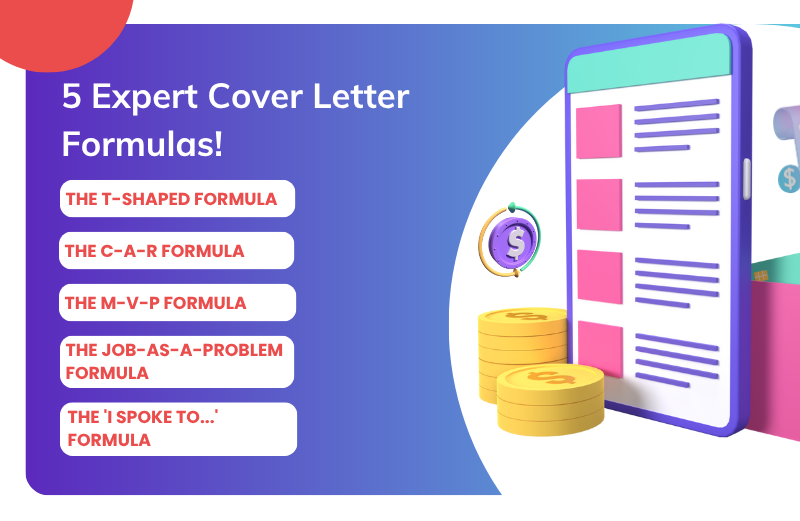
5 Expert Cover Letter Formulas
internship cover letter

The bulk of your letter, the body paragraphs, must articulate your value proposition. Instead of a single, vague approach, here are five proven, targeted formulas used by top candidates to structure their evidence and grab attention.

Formula 1: The T-Shaped Formula (Recommended Default)

This is the ultimate balance of skill and fit. It moves beyond listing traits and shows the depth of your expertise plus the breadth of your collaboration potential.

  • ~ DEPTH (The Vertical Bar): Dedicate a paragraph to your single most relevant hard skill for the role. Use a project (academic or personal) to prove mastery.
  • ~ BREADTH (The Horizontal Bar): Dedicate a second paragraph to 2-3 transferable soft skills (e.g., communication, time management) and show how they will benefit the team’s culture or mission.

Goal: To show you’re both technically competent and an excellent cultural addition.

Formula 2: The C-A-R Formula (Challenge-Action-Result)

A quantitative formula where the body paragraph follows a strict, results-focused structure.

  • ~ C (Challenge): Briefly describe a problem or goal you faced in a past role or project.
  • ~ A (Action): Detail the specific action you took to address it. Use strong action verbs.
  • ~ R (Result): Quantify the positive outcome using numbers, percentages, or metrics.

Goal: To demonstrate impact with measurable proof, ideal for data-heavy or performance-driven roles (e.g., Finance, Data Science, Marketing).

Formula 3: The M-V-P Formula (Mission-Value-Passion)

Ideal for applicants with limited direct work experience, shifting the focus from past jobs to future potential and alignment.

  • ~ M (Mission): Open by referencing the company’s specific mission, recent project, or product news (demonstrates research).
  • ~ V (Value): Detail one or two coursework highlights or extracurricular experiences that directly equip you to contribute to that mission.
  • ~ P (Passion): Explain your deep, personal passion for the industry or the company’s impact.

Goal: To turn limited experience into a clear case for future potential and fit.

Formula 4: The Job-as-a-Problem Formula

This formula assumes the hiring manager is looking to solve a pain point.

  • ~ Structure: Introduce the problem you believe the intern will solve (gleaned from the job description). The body of your letter then outlines your proposed three-step solution and how your skills fit each step.

Goal: To showcase initiative and thought leadership, you’re not asking for a job, you’re offering a solution.

Formula 5: The ‘I Spoke To…’ Formula (The Internal Referral)

The highest E-E-A-T and trust signal. If you have any internal contact, use it strategically.

  • ~ Structure: The opening line names the referral and the positive discussion you had. The rest of the letter is then elevated, moving past basic qualifications to discussing a project-level insight the referral shared, and how you can accelerate it.

Goal: To leverage trust and bypass the general applicant pool immediately.

Advanced Tips: Top 5 Mistakes That Kill Your Application

Indeed’s guide focuses on the “what to do.” We focus on the high-cost errors to avoid, a major value-add for the applicant.

1. 🛑 The ‘Generic Greeting’ Fail

Mistake: Using “Dear Hiring Manager” or “To Whom It May Concern.”

Fix: Research the name! Use LinkedIn, the company directory, or even a brief call to the front desk. If a name is truly unavailable, use a targeted greeting: “Dear [Department] Team Lead” or “Dear [Company Name] Talent Acquisition.”

2. 🚫 The ‘Resume Duplicate’ Trap

Mistake: Repeating your resume bullet points verbatim in paragraph form.

Fix: The cover letter is for context and narrative. Use it to elaborate on a single, compelling resume achievement using the C-A-R Formula (Formula 2), turning a bullet point into a story of impact.

3. 💔 The ‘Focus on Me’ Syndrome

Mistake: The entire letter is about “what I hope to gain from this internship for my career.”

Fix: Rebalance the narrative. Your letter should be 70% focused on what you bring and how you will contribute to their goals, and 30% on what you hope to learn.

4. 🧱 Missing the ATS Keywords

Mistake: Using synonyms for core skills mentioned in the job description (e.g., saying “teamwork” when the job says “cross-functional collaboration”).

Fix: Scan the job description for the exact, required phrasing and integrate it naturally. Applicant Tracking Systems (ATS) and early-stage AI screening tools prioritize precise keyword matches.

5. 💨 The Weak Conclusion

Mistake: Ending passively with, “Thank you for your time. I hope to hear from you.”

Fix: Use a confident, explicit Call-to-Action (CTA). Example: “I am eager to discuss how my skills in Python and data visualization will support your Q3 data pipeline project. I am available for a brief meeting next week.”

3 Unique Sample Internship Cover Letters (Using the Formulas)

These samples are tailored to highly competitive fields and demonstrate how to deploy the formulas effectively.

Sample 1: The Tech/Data Science Intern

Formula Used: C-A-R Formula (Focus on Quantifiable Impact)

Goal: Prove technical competency and quantifiable results.

[Date]

[Hiring Manager Name] Senior Data Architect [Tech Company Name] [Company Address]

Dear [Hiring Manager Name],

I am writing to apply for the Summer Data Science Internship, as advertised on LinkedIn. My passion lies at the intersection of complex problem-solving and scalable data infrastructure, and [Company Name]’s recent work on [mention a specific company project or publication] has been a significant inspiration for my academic research.

I recently applied the C-A-R Formula to an independent project, addressing a major data challenge: (C) Challenge: The college bookstore was losing inventory due to manually-tracked stock levels, impacting profitability by 12% quarterly. (A) Action: I developed a custom Python script utilizing the Pandas library to integrate sales data with real-time stock-in/stock-out metrics. (R) Result: This system reduced inventory variance by $1,400 in one month and decreased tracking time for the manager by 8 hours per week.

This experience has equipped me with the analytical and technical proficiency required to contribute immediately to your team’s ongoing data pipeline optimization. I am highly proficient in SQL, Cloud (AWS) environments, and transforming unstructured data. I look forward to discussing how my skills will directly support your predictive modeling efforts this summer.

Sincerely,

[Your Name] [Your Phone] | [Your Email] | [LinkedIn URL] | [GitHub/Portfolio URL]

Sample 2: The Non-Profit/Mission-Driven Intern

Formula Used: M-V-P Formula (Focus on Alignment and Passion)

Goal: Showcase genuine mission alignment and transferrable soft skills.

[Date]

Dear Community Outreach Hiring Team,

I am applying for the Community Engagement Internship at [Non-Profit Name]. Your unwavering Mission (M) to “achieve food security through sustainable local partnerships” is directly aligned with my commitment to local economic empowerment, which I’ve fostered through my work in the university’s volunteer network.

My Value (V) lies in my proven ability to mobilize action. As the lead organizer for a local food drive this spring, I utilized skills in team collaboration and digital communication to recruit 50+ volunteers and coordinate logistics across three city districts. I then used Canva and social media scheduling to create all event promotional assets, increasing donor attendance by 45% over the previous year.

My Passion (P) for this field is demonstrated by my completed coursework in Public Policy and my deep belief that the most impactful work is done at the grassroots level. I am eager to dedicate my summer to learning from your experienced team and supporting your efforts to scale the local farmer partnership program.

I would welcome the opportunity to connect and share more about my volunteer portfolio.

Respectfully,

[Your Name] [Your Phone] | [Your Email]

Sample 3: The Creative/Design Intern

Formula Used: T-Shaped Formula (Focus on a Core Skill + Cultural Fit)

Goal: Highlight creative expertise and the ability to integrate into a fast-paced environment.

[Date]

[Hiring Manager Name] Creative Director [Agency/Creative Company Name] [Company Address]

Dear [Hiring Manager Name],

As a long-time follower of [Company Name]’s groundbreaking work in [mention a specific award or client campaign], I am thrilled to apply for the Motion Graphics Design Internship. I believe my highly specialized skills in visual storytelling, balanced with my ability to meet tight deadlines, would be an invaluable asset to your team.

My Depth (Vertical Bar) is centered on motion design. For my final senior project, I developed a 60-second animated explainer video for a local start-up, using Adobe After Effects and Illustrator. The client confirmed that this video directly resulted in a 20% higher conversion rate on their landing page during the initial launch phase.

My Breadth (Horizontal Bar) comes from my ability to integrate seamlessly with demanding project schedules. I excel in receiving critical feedback and iterating quickly, understanding that efficiency and clear communication are key to agency life. I am particularly excited about the potential to apply my Figma prototyping skills to your new digital product team.

I look forward to discussing my portfolio and how my motion graphics expertise can accelerate the launch of your Q4 client projects.

Sincerely,

[Your Name] [Your Phone] | [Your Email] | [Portfolio Link]

Write with Intention, Not Obligation

The most successful internship application letter is one written with intention. By choosing one of the 5 Expert Formulas and strictly avoiding the common pitfalls, you turn a required document into a potent sales tool.

Your next step is to select the formula that best highlights your unique strengths and fully customize one of the provided samples to the specific company and job description.

Resume Tips for Freshers: How to Stand Out Without Experience

Stepping into the job market as a fresher is both exciting and overwhelming. You’ve worked hard on your degree, learned a few technologies, maybe even completed projects, but when it’s time to apply, and make resume for freshers one question looms large:

“How do I make my resume stand out if I don’t have experience?”

Here’s the secret: recruiters don’t expect freshers to have years of professional work experience. What they do expect is clarity, effort, and proof of potential. Your resume should tell your story in a way that shows you’re ready to learn, adapt, and contribute.

Let’s break this down step by step.

1. Craft a Career Objective That Speaks for You

Most freshers write generic objectives like “To work in a reputed organization where I can utilize my skills.” The truth? Recruiters skip over it.

Your objective should answer two things:

  • Who are you?
  • What do you bring to the table?

Example:
“B.E. Computer Engineering graduate with hands-on experience in MERN stack development. Passionate about building scalable applications and eager to apply problem-solving skills in a fast-growing IT company.”

This shows direction, skills, and enthusiasm.

2. Projects Are Your Work Experience (Show Them Well)

If you don’t have professional experience, your projects are the strongest part of your resume.

Instead of writing:

Online Food Ordering System – Final Year Project

Write it like this:

Developed an Online Food Ordering System using Node.js, Express, and MongoDB. Enabled 300+ users to browse menus, place orders, and track deliveries in real-time. Implemented secure login and payment gateway integration.

Notice the difference? The second version highlights tools used, scale, and outcome. That’s what impresses recruiters.

3. Leverage Internships, Training & Certifications

Even if your internship was unpaid or lasted just a few weeks, it matters. Recruiters know freshers won’t have long experience, but showing exposure through resume for freshers to a professional environment builds credibility.

Example:

  • Software Development Intern – Accrete Infosolution (Gandhinagar, Infocity)
  • Built a responsive dashboard using React.js and Node.js.
  • Collaborated with senior developers to deploy features in a real-time project.

Also, add certifications (online/offline). For example:

  • Certified in Python Programming – Coursera (2024)
  • AWS Cloud Practitioner – Amazon Web Services

This shows you are proactive about learning beyond college.

Also Read: Trends in Portfolio Website: How to Shine in 2025

4. Build a Skills Section That Actually Gets Noticed

Dumping every language you know doesn’t work. Group and prioritize your skills instead.

Example:

  1. Technical Skills
  2. Languages: Python, JavaScript, C++
  3. Frameworks & Libraries: React.js, Node.js, Express.js
  4. Databases: MySQL, MongoDB
  5. Tools & Platforms: Git, Docker, VS Code

Soft Skills

  • Problem-Solving, Team Collaboration, Time Management

👉 Organized, easy to read, and relevant.

Also Read: How to Find IT Internship in Gandhinagar Infocity: A career Guide!

5. Achievements & Extracurriculars Count

Recruiters love seeing initiative. If you’ve:

  • Won a hackathon
  • Presented at a tech fest
  • Contributed to open-source projects
  • Led a college club/team

…put it in! It proves you can go beyond the classroom and take ownership.

Example:

  • Winner – Smart India Hackathon 2024 (AI-based Healthcare App)

Led a team of 10 students in the annual coding competition, managing project deadlines and feature delivery.

6. Make It Look Professional (Design & Format)

Your content may be strong, but if your resume looks messy, it’ll be ignored. Keep it:

  • One page (two max)
  • Use bullet points, not long paragraphs
  • Stick to clean fonts like Calibri, Arial, or Helvetica
  • Avoid fancy colors — black text with a single highlight color works best

👉 Pro Tip: Use Canva, Overleaf (LaTeX), or Novoresume to design a polished template.

7. Customize Your Resume for Each Job

One resume won’t fit all roles. Tailor it by:

  • Reordering projects to highlight the most relevant
  • Using keywords from the job description
  • Emphasizing skills required in that role
  • For example, if applying for a React Developer role, push your React-based projects and skills to the top.

8. Don’t Forget Soft Skills & Strengths

Yes, technical skills matter. But companies also look for candidates who can adapt, learn quickly, and work in teams.

✅ Example Section:

  1. Strong communication & presentation skills
  2. Quick learner with problem-solving mindset
  3. Ability to work under deadlines
  4. Keep it short, but make sure it reflects in your interviews too.

9. Proofread Like a Hawk

A single typo can make your resume look careless. Double-check grammar, spelling, and formatting. Use Grammarly or ask a mentor/friend to review it.

Resume Structure for Freshers (Sample Layout)

Here’s a simple flow you can follow:

  • Name & Contact Info (with LinkedIn/GitHub)
  • Career Objective
  • Education (with CGPA/percentage)
  • Projects (detailed & impact-driven)
  • Internships / Training
  • Skills (Technical + Soft)
  • Achievements / Extracurriculars
  • Certifications (if any)

Final Words

As a fresher, you’re not expected to have years of experience. But you are expected to present yourself smartly.

Your resume is not just a list of qualifications, it’s your first impression. A clean, well-structured, and impact-driven resume tells recruiters: “I may not have experience, but I’m serious, skilled, and ready to learn.”

Remember: Every expert started as a fresher. Your journey begins with a single page, make it count.

Looking for hands-on internships and fresher opportunities in Gandhinagar? At Accrete Infosolution Technologies Pvt. Ltd., we regularly hire and train students in MERN, MEAN, Flutter, .NET, and Full-Stack Development.

Building Your First API Endpoint with Node.js and Express.js

APIs (Application Programming Interfaces) are the backbone of modern web applications, allowing communication between different services and applications. If you’re new to API development, building a simple endpoint using Node.js and Express.js is an excellent way to get started. In this guide, you’ll learn how to set up a basic API endpoint that returns JSON data, making it easy for you to grasp the fundamentals of API development. 


What is an Endpoint in a REST API? 

An endpoint is a specific URL where an API receives requests and sends responses. Each endpoint is associated with a particular HTTP method (such as GET, POST, PUT, DELETE) and is used to interact with the API. 

For example, if you are building a food ordering app, an API endpoint like: 

GET /restaurants
 

could return a list of available restaurants. 

In this tutorial, we’ll build a GET endpoint that returns sample data. 

 Also read: How to Set Up a Simple Node.js Server in 5 Minutes

Setting Up an Express.js Route for a GET Request 

Step 1: Install Node.js and Express 

First, ensure you have Node.js installed on your machine. If not, download it from nodejs.org. 

Then, create a project directory and initialize a Node.js project: 

mkdir my-api 
cd my-api 
npm init -y 
 

Next, install Express.js: 

npm install express 
 

Step 2: Create a Basic Express Server 

Create an index.js file and add the following code: 

const express = require('express'); 
const app = express(); 
const PORT = 3000; 
 
app.get('/', (req, res) => { 
    res.send('Welcome to my first API!'); 
}); 
 
app.listen(PORT, () => { 
    console.log(`Server is running on http://localhost:${PORT}`); 
}); 
 

Now, run the server: 

node index.js
 

Visit http://localhost:3000 in your browser, and you should see Welcome to my first API! displayed. 


Returning Data as a JSON Response 

Instead of sending plain text, let’s return JSON data. Modify the index.js file to create a new GET endpoint: 

app.get('/api/data', (req, res) => { 
    const sampleData = { 
        name: "John Doe", 
        age: 30, 
        occupation: "Software Developer" 
    }; 
    res.json(sampleData); 
}); 
 

Restart your server and visit http://localhost:3000/api/data. You should see: 

{ 
    "name": "John Doe", 
    "age": 30, 
    "occupation": "Software Developer" 
} 


Testing the Endpoint with Postman or a Browser 

Testing with a Browser 

For simple GET requests, you can directly visit http://localhost:3000/api/data in your browser, and the JSON response will be displayed. 

Testing with Postman 

For more advanced testing, download Postman and follow these steps: 

  • Open Postman and create a new GET request. 
  • Enter http://localhost:3000/api/data in the request URL. 
  • Click “Send.” 
  • You should see the JSON response displayed in Postman. 

 Read: How to create a REST API with Node.js and Express

Conclusion 

Congratulations! 🎉 You’ve successfully built your first API endpoint using Node.js and Express.js. You now understand: 

  • What an API endpoint is. 
  • How to create a basic Express server. 
  • How to return JSON data in a response. 
  • How to test your API using Postman or a browser. 

From here, you can expand your API by adding more endpoints, handling different HTTP methods, and connecting to a database. Happy coding!

How to Set Up a Simple Node.js Server in 5 Minutes

Are you new to Node.js and want to get started quickly? To set up Node.js server is much simpler than you might think. This guide will walk you through the process step-by-step, so you can have your first server up and running in just five minutes.

Why Node.js?

Node.js is a powerful, event-driven JavaScript runtime built on Chrome’s V8 engine. It allows you to run JavaScript on the server side, making it a popular choice for building fast, scalable network applications.

Read in depth about What is a REST API?

What You’ll Learn

  • How to install Node.js
  • Setting up a simple server
  • Creating a server.js file
  • Running your server locally
  • Handling basic GET requests

Let’s dive in!
Server concept illustration

Step 1: Installing Node.js

Before setting up your server, you need to install Node.js on your machine. Follow these steps:

  1. Download Node.js: Visit the Node.js official website and download the LTS (Long-Term Support) version for your operating system.
  2. Install Node.js: Run the downloaded installer and follow the instructions. Make sure to install the necessary tools like npm (Node Package Manager) that come bundled with Node.js.
  3. Verify Installation: After installation, open your terminal (Command Prompt on Windows, Terminal on macOS/Linux) and type the following commands to check if Node.js and npm are installed correctly:
    node -v
    npm -v

    These commands should return the version numbers of Node.js and npm respectively.

Step 2: Setting Up a Simple Server

Now that you have Node.js installed, let’s set up a simple server.

  1. Create a New Directory: Open your terminal and create a new directory for your project.
    mkdir my-first-node-server
    cd my-first-node-server
  2. Initialize a Node.js Project: Run the following command to create a package.json file, which will keep track of your project’s dependencies and scripts.
    npm init -y

Step 3: Creating the server.js File

  1. Create the server.js File: Inside your project directory, create a new file named server.js.
    touch server.js
  2. Write Basic Server Code: Open server.js in your text editor and add the following code:
    const http = require('http');
    
    const hostname = '127.0.0.1';
    const port = 3000;
    
    const server = http.createServer((req, res) => {
        res.statusCode = 200;
        res.setHeader('Content-Type', 'text/plain');
        res.end('Hello, World!\n');
    });
    
    server.listen(port, hostname, () => {
        console.log(`Server running at http://${hostname}:${port}/`);
    });

Step 4: Running the Server Locally

  1. Run Your Server: Go back to your terminal, ensure you’re in the project directory, and run the server with the following command:
    node server.js
  2. Access Your Server: Open your web browser and go to http://127.0.0.1:3000/. You should see “Hello, World!” displayed on the page.

Step 5: Handling Basic GET Requests

To make your server more interactive, let’s handle GET requests and respond with different messages based on the URL.

  1. Modify server.js to Handle GET Requests:
    const http = require('http');
    
    const hostname = '127.0.0.1';
    const port = 3000;
    
    const server = http.createServer((req, res) => {
        res.statusCode = 200;
        res.setHeader('Content-Type', 'text/plain');
    
        if (req.url === '/') {
            res.end('Welcome to the homepage!\n');
        } else if (req.url === '/about') {
            res.end('Learn more about us on this page.\n');
        } else {
            res.statusCode = 404;
            res.end('Page not found.\n');
        }
    });
    
    server.listen(port, hostname, () => {
        console.log(`Server running at http://${hostname}:${port}/`);
    });
  2. Restart the Server: Stop the current server by pressing Ctrl+C in the terminal. Then, run it again with node server.js.
  3. Test Different Routes: Visit http://127.0.0.1:3000/, http://127.0.0.1:3000/about, and a non-existent route like http://127.0.0.1:3000/contact to see how your server handles different URLs.

Conclusion

Congratulations! You’ve just set up a basic Node.js server and handled simple GET requests. This foundation will help you build more complex web applications in the future. Keep experimenting with Node.js, and you’ll discover its full potential in creating powerful server-side applications.

Happy coding!

Introduction to REST APIs: What Are They and Why Do They Matter?

In today’s fast-paced digital world, the development of web applications and services relies heavily on the exchange of data between different systems. At the heart of this interaction are APIs, and one of the most commonly used types is the REST API. But what exactly is a REST API, and why should you care about it? In this post, we’ll break down the basics and explain why understanding REST APIs is essential for anyone involved in modern web development.


What is a REST API?

REST stands for Representational State Transfer, and an API is an Application Programming Interface. In simple terms, a REST API is a set of rules that allows one software application to communicate with another over the internet using standard HTTP methods (like GET, POST, PUT, DELETE).

RESTful APIs make it easier to send and receive data between clients (like web browsers or mobile apps) and servers. They are lightweight, flexible, and stateless, meaning they don’t keep track of previous requests, making them ideal for scalable, distributed systems.


Why REST API is Important in Modern Web Development?

REST APIs are crucial because they provide a standardized way for different systems to communicate and interact, even if they are built using different programming languages or run on different platforms. They enable:

  1. Seamless Integration: REST APIs allow developers to integrate external services (like payment gateways or social media platforms) into their applications without reinventing the wheel.
  2. Scalability: By adhering to a simple architecture, REST APIs make it easier to scale applications, add features, and maintain consistent communication between multiple devices and services.
  3. Faster Development: With REST APIs, developers can leverage third-party services to save time, focusing on the core functionality of their application rather than building everything from scratch.

Examples of Common Services That Use REST APIs

Many of the services we use daily rely on REST APIs to function. Here are a few examples:

  • Social Media Platforms: Facebook, Twitter, and Instagram use REST APIs to allow third-party apps to retrieve user data, post updates, or interact with the platform’s features.
  • E-commerce Websites: Online stores like Amazon or eBay utilize REST APIs to fetch product information, process payments, or provide real-time inventory updates.
  • Google Services: Google Maps, Gmail, and Google Drive use REST APIs to share data with third-party apps, enabling users to embed maps, access emails, or manage files.

A Simple Analogy for Understanding APIs: The Waiter in a Restaurant

Imagine you’re at a restaurant. The menu lists a variety of dishes, and you decide what you’d like to eat. However, you don’t go into the kitchen to cook your meal—you rely on the waiter to communicate your order to the kitchen and bring your food back to you.

In this analogy:

  • You are the client (or consumer): You want the food (data).
  • The waiter is the API: It takes your order (request) and delivers it to the kitchen (server), then brings back the food (response).
  • The kitchen is the server: It prepares the food based on your order, just like a server processes requests from clients.

This process ensures smooth communication between the customer and the restaurant, just as a REST API facilitates communication between a client and a server.


Conclusion

Understanding REST APIs is crucial for anyone looking to develop or maintain modern web applications. They allow different systems to interact seamlessly, enabling the creation of complex, scalable, and feature-rich applications. Whether you’re a beginner just starting out or a seasoned developer looking to brush up on the basics, mastering REST APIs is an essential skill in today’s tech-driven world.

Trends in Portfolio Website: How to Shine in 2025

Picture this: a potential client lands on your portfolio website in 2025. They’re not just looking for impressive work; they’re looking for an experience—something that sparks curiosity, builds trust, and screams, “This is the one!” 

The digital portfolio game is evolving faster than ever, fueled by cutting-edge tech and a shift in how people consume content. If you want to leave a lasting impression and stand out in the crowd, here are the top trends you need to embrace. 

 1. From Static to Interactive: The Era of Dynamic Portfolios

Gone are the days when static galleries ruled the web. In 2025, interaction is king. Imagine this: a visitor hovers over a project thumbnail, and it springs to life with subtle animations or playful effects. 

🎯 Why It Works: 

Interactive elements aren’t just eye candy—they’re engagement magnets. They invite visitors to spend more time exploring your site, creating a sense of connection with your work. Think interactive timelines for your career journey, gamified project showcases, or even live previews of your designs in action. 

🔧 Pro Tip: 

Use lightweight animations to keep your website loading fast. Tools like Lottie or Three.js can add stunning effects without bogging down your site. 

Portrait of person and ai robot

 2. Personalized Experiences: AI Meets Creativity

Imagine walking into a store where every shelf is stocked with items you love. That’s the vibe AI-driven personalization will bring to portfolio websites in 2025. 

💡 What This Means for You: 

Your website can now analyze visitor behavior—like what they click on or how long they linger—and adjust in real time. For example: 

  • A client from the fashion industry might see your fashion-related projects first. 
  • Someone looking for web design? Boom, your most innovative websites take center stage. 

🌟 Why It’s Powerful: 

Personalization creates instant rapport. It feels like your site “gets” them, making it more likely they’ll reach out. 

🤖 How to Start: 

Platforms like Adobe Sensei or Google’s AI APIs can help you integrate personalization without needing a PhD in tech. 

 3. Green is the New Black: Sustainable Design

In an age of growing eco-consciousness, your digital presence should reflect your values. Sustainable portfolio websites are more than a trend—they’re a statement. 

🌍 What Does This Look Like? 

  • Green Hosting: Use hosting services powered by renewable energy. 
  • Minimalist Design: Reduce resource-heavy elements like large videos or excessive animations. 
  • Eco-Friendly Projects: If you’ve worked on sustainable initiatives, highlight them proudly. 

🍃 Why It Matters: 

Clients (and even Google!) love brands that prioritize sustainability. A green portfolio can set you apart as a professional who cares about more than just profit. 

 4. Mobile-First Everything

Here’s a fun fact: over 70% of website traffic comes from mobile devices. If your portfolio isn’t optimized for small screens, you’re losing out. 

📱 Trends for 2025: 

  • Seamless navigation with thumb-friendly menus. 
  • Speedy loading times (because patience is a rare commodity). 
  • Full-screen, immersive experiences tailored for mobile users. 

 5. Storytelling: Your Superpower

Open book concept for fairy tale and fiction storytelling

At its core, your portfolio website isn’t just about showcasing projects; it’s about telling a story. Why did you create that design? What challenge did you solve? How did it make a difference? 

Engage with Stories: 

Weave narratives into your project descriptions. Instead of “Website Design for ABC Corp,” try: 

“Helping ABC Corp boost their online sales by 40% with a sleek, user-focused design.” 


Final Thoughts: Ready to Lead in 2025? 

A portfolio website isn’t just a digital résumé—it’s a window into your creative soul. By embracing interactivity, personalization, sustainability, and storytelling, you’re not just following trends; you’re setting them. 

So, dust off your portfolio, let your creativity run wild, and step boldly into 2025. The future is yours to design.

Read more blogs:

Top MNC IT Companies in Gandhinagar: Your Gateway to a Thriving Tech Career

How to Find IT Internship in Gandhinagar Infocity: A career Guide!

Find an agent now

Telephone

+917041046049

Time Schedule

Office Time

Mon - Fri: 9:00 - 18:00